
5 tools I'm using to measure & optimize both conversions and traffic.
The first step to improving conversions from your content? Measurement.
You need a baseline for all the metrics that ultimately lead a search user to become your customer:
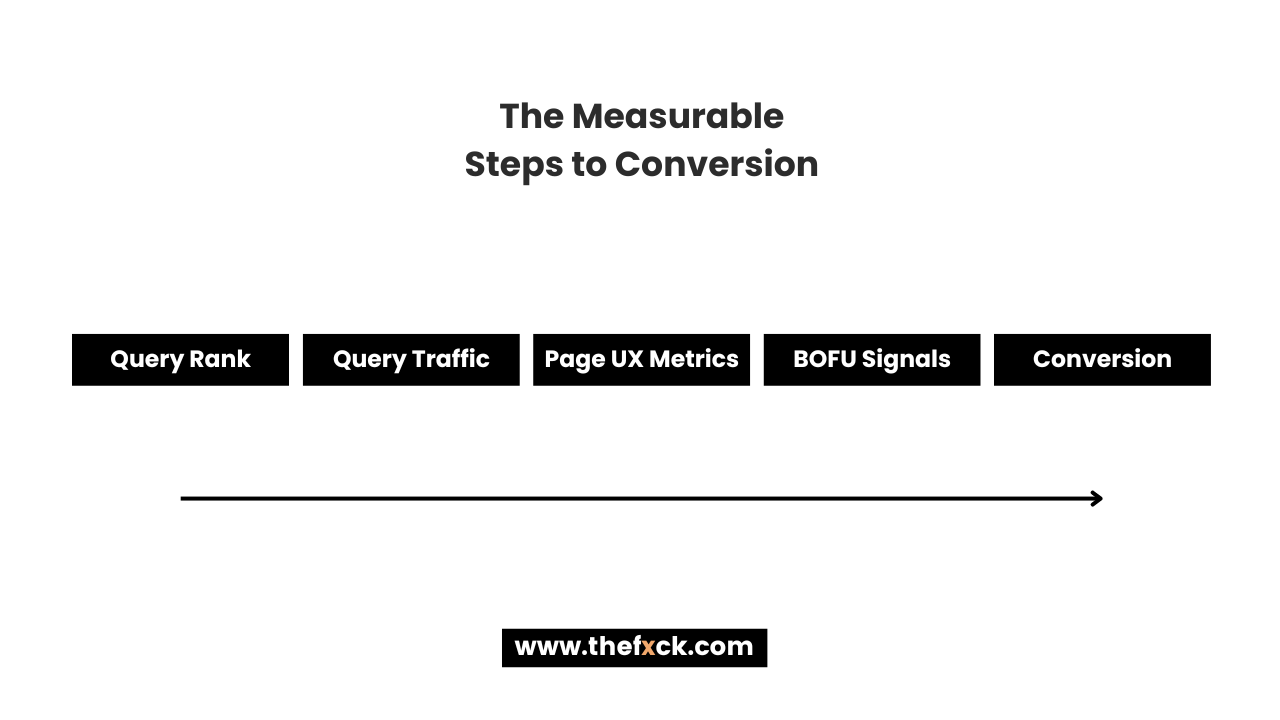
Once you've established a baseline, you need to be able to track the impact of your improvements—to see if they actually helped or you just think they did.
In this week's newsletter, I'll walk you through my tracking & analytics tool stack and, importantly, how I'm using them to improve conversions.
1/ Ahrefs or Semrush - For Query Rank Tracking
These two are no secret so I won't spend time too much time here.
In addition to general keyword research, I really like Ahrefs' rank tracker (with email alerts switched on).
I exclusively use it to track core, high-converting keywords because they matter the most to growth and I want the most visibility there.
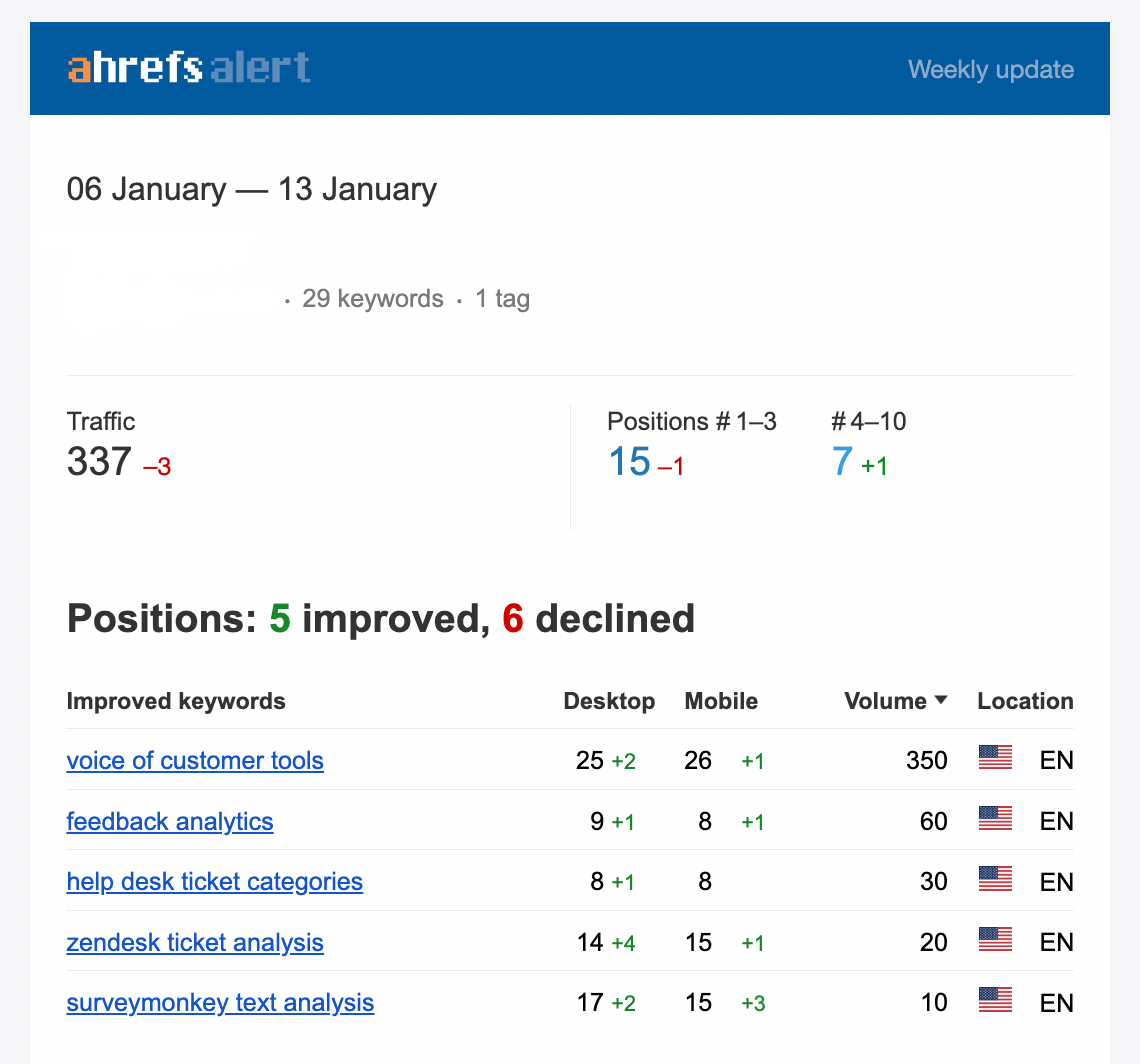
The email alerts essentially help me keep a passive eye on pages we're actively working on.
2/ Heatmaps & Clickmaps - Identify Failures in UX
This is a new find for me, but I've been addicted.
I've been using tools like Positional (you can sign up for their beta) and Microsoft Clarity (free) to identify user behaviors and drive improvements in UX.
For example, I'm using their heatmaps to see if the "above the fold" content puts users off.
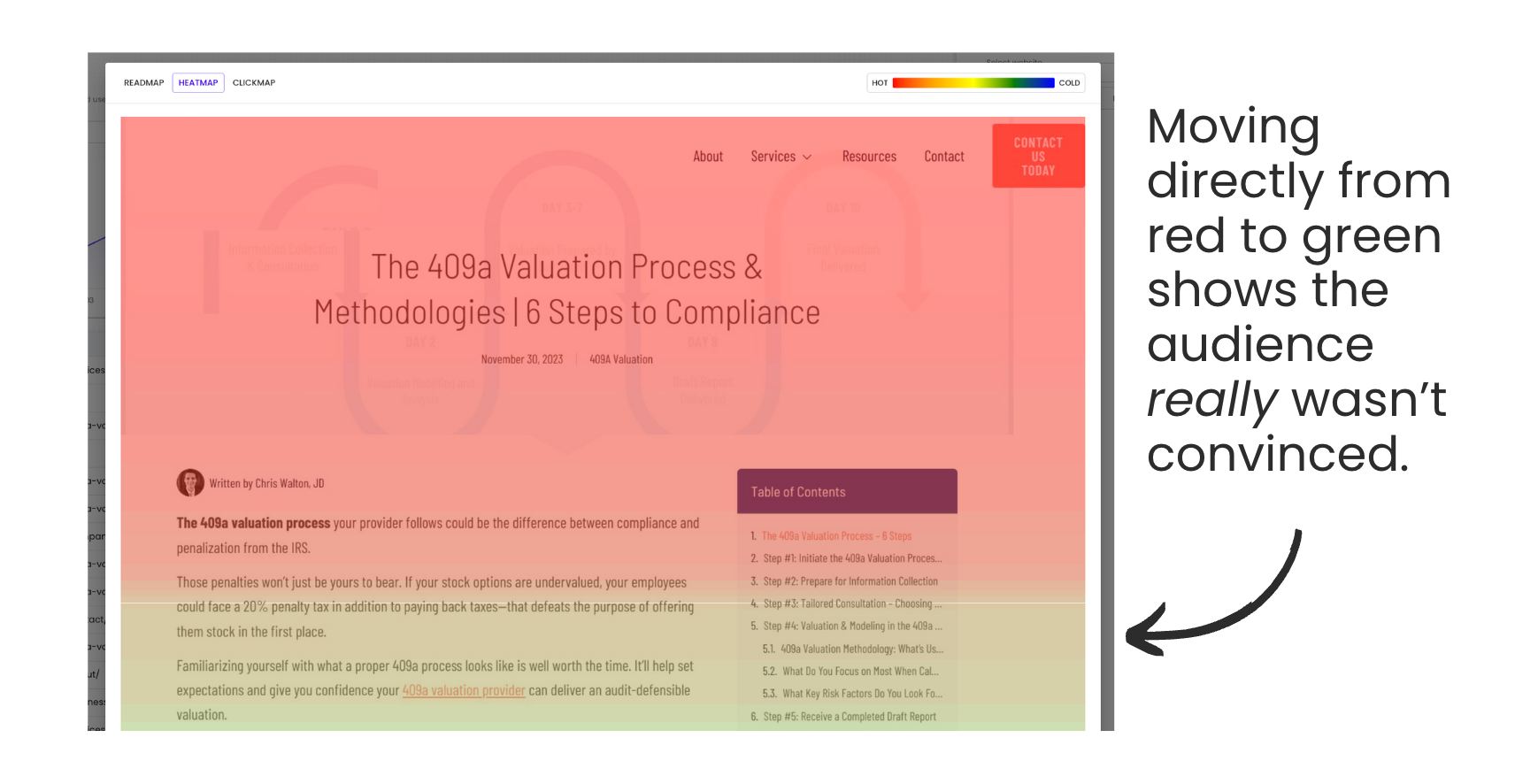
Both tools also have click maps which help you understand whether your internal linking is reader-friendly or your CTAs are effective.

If you're anything like me, you'll be shocked to find out how readers are really interacting with your content.
That intro you thought was fascinating? Nope.
That CTA you thought packed a punch? Nobody's clicking it.
In the last two weeks alone, it's been an incredibly useful way to identify if my content is meeting the reader's needs so I can remove and improve weak points.
3/ SEOTesting.com
SEOTesting makes the SEO experimentation process simple.
It plugs right into Search Console and helps you analyze that data AND measure the impact of any experiments you run.
I use this tool to:
- Annotate Search Console graphs to remember when a change was done..
- Find content decay (if you don't wanna use my calculator) and cannibalization.
- Test the impact of a variety of changes, like meta title tweaks, URL changes, or content updates.
Example - you run an experiment (e.g. change a meta title to be more "attention-grabbing"), SEOTesting then takes the past 2 weeks of data from GSC and the future 2 weeks of data, then it compares the impact.
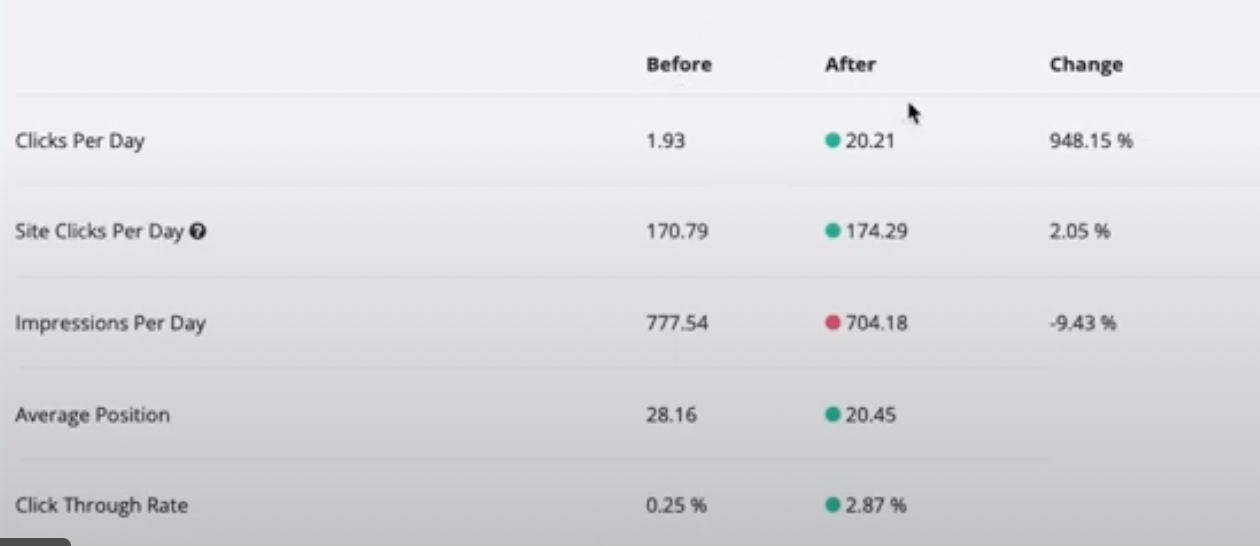
I'm currently using the tool to update/boost traffic on my lower-funnel content.
4/ Google Analytics 4 & Tag Manager - Track Conversions

When GA4 was rolled out, I avoided it for SO long.
Then I relearned it, painfully, and it's become an addictive part of my daily workflow again (this site and this site were particularly useful to learn from).
The most important thing you can do is set up conversion events.
As basics, I track these conversion events:
- Pricing page visits (a signal of high intent interest).
- Demo page visits (a signal of high intent interest).
- Calendar bookings (e.g. someone books directly into Calendly - tutorial here).
- Free trial starts (if you're a product-led kind of company).
With these in place, it's easy to do things like path exploration to discover which content is turning people into visitors who are genuinely interested in your product.
5/ Bitly and LinkTree
Bitly and LinkTree are both give analytics on link clicks (among other useful features).
I've been using LinkTree recently on my LinkedIn to better understand what people want most from me when visiting my profile.
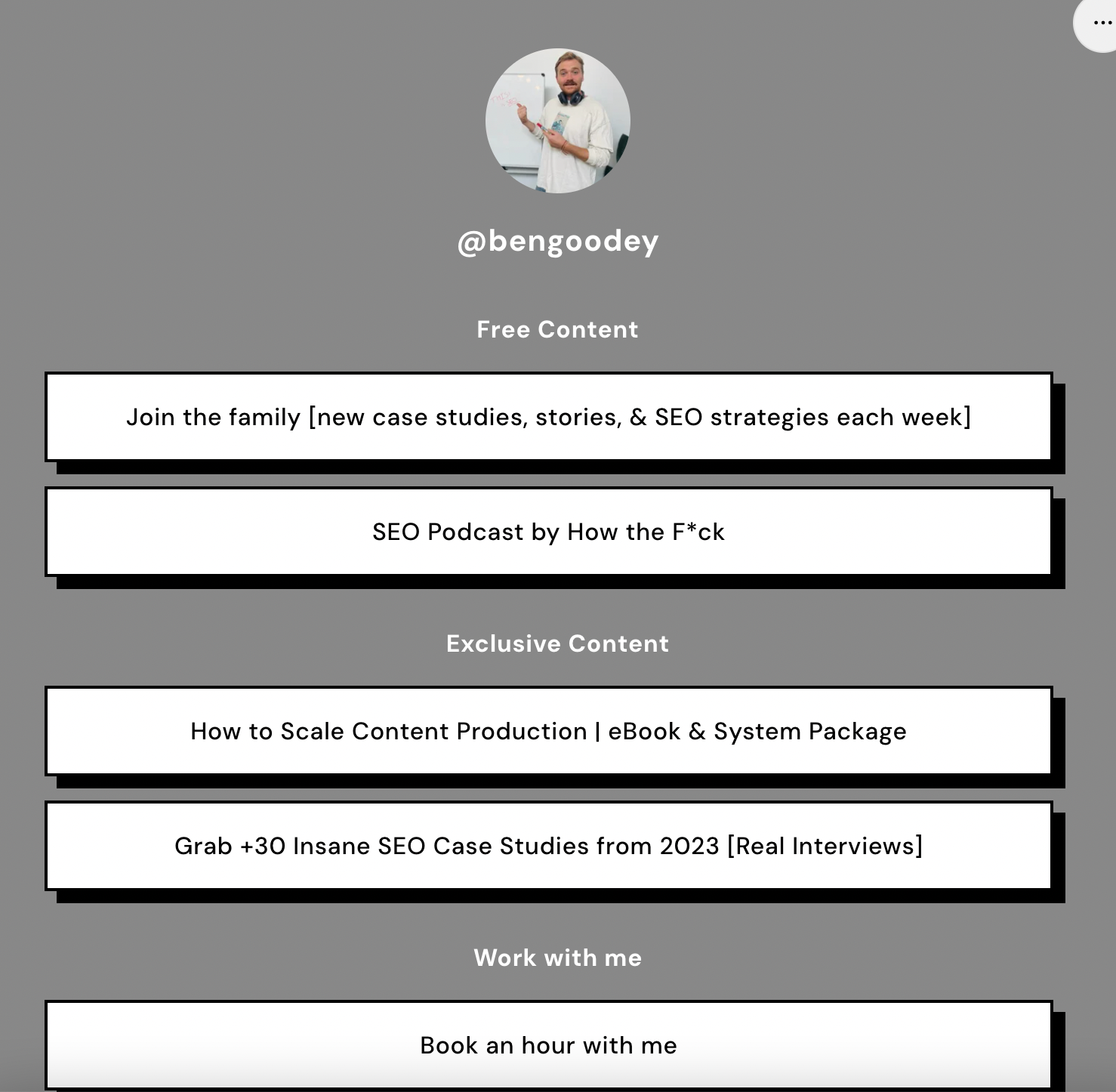
This was useful, as I didn't know what the best path would be to encourage profile visitors to buy an eBook or join the community. I was able to see what people clicked most (and the impact on sales) and focus on that.
On the other hand, Bitly is useful for tracking the click volume on key CTAs around your blog. You can use Google Tag manager for this, but if you don't have access or find it too difficult to setup, Bitly is a good way to get some easy audience signals.

That's all from me this week, folks.
Next week, the newsletter will teach you how to make sure you're targeting the right audience with your SEO strategy.


